Know where your money goes. Skip the homework.
Nilo logs your spending from your bank's alerts and Apple Pay. No bank login, ever.
- Free for 1 week
- iPhone only
- No bank login
Never asks for your bank password
Nilo reads the alerts your bank already sends you. No bank login, no account linking.
Imports only the senders you choose
With forwarding, Nilo only sees the bank alerts you send it. Either way, it imports only the senders you approve.
Your data is never sold
No ads, no data brokers. Export or delete everything whenever you want.
How it works
You pay. Nilo writes it down.
Your bank already tells you every time you buy something. Nilo reads that alert, works out what it was, and files it.
01
Tap to pay with Apple Pay
Hold your iPhone near the reader. The purchase shows up in Nilo right then.
02
Your bank's email arrives
Nilo picks out the amount, the merchant, and the date. Nothing to copy.
03
Everything in its place
Each purchase lands in its category. Your month sorts itself out while you live it.
Three taps. Done.
For cash and anything that slips through, Nilo keeps a pocket notebook. Type it, say it, or snap the receipt.
Amount: 14.50
Amount, category, done. Your last entries are one tap away.
It speaks up early.
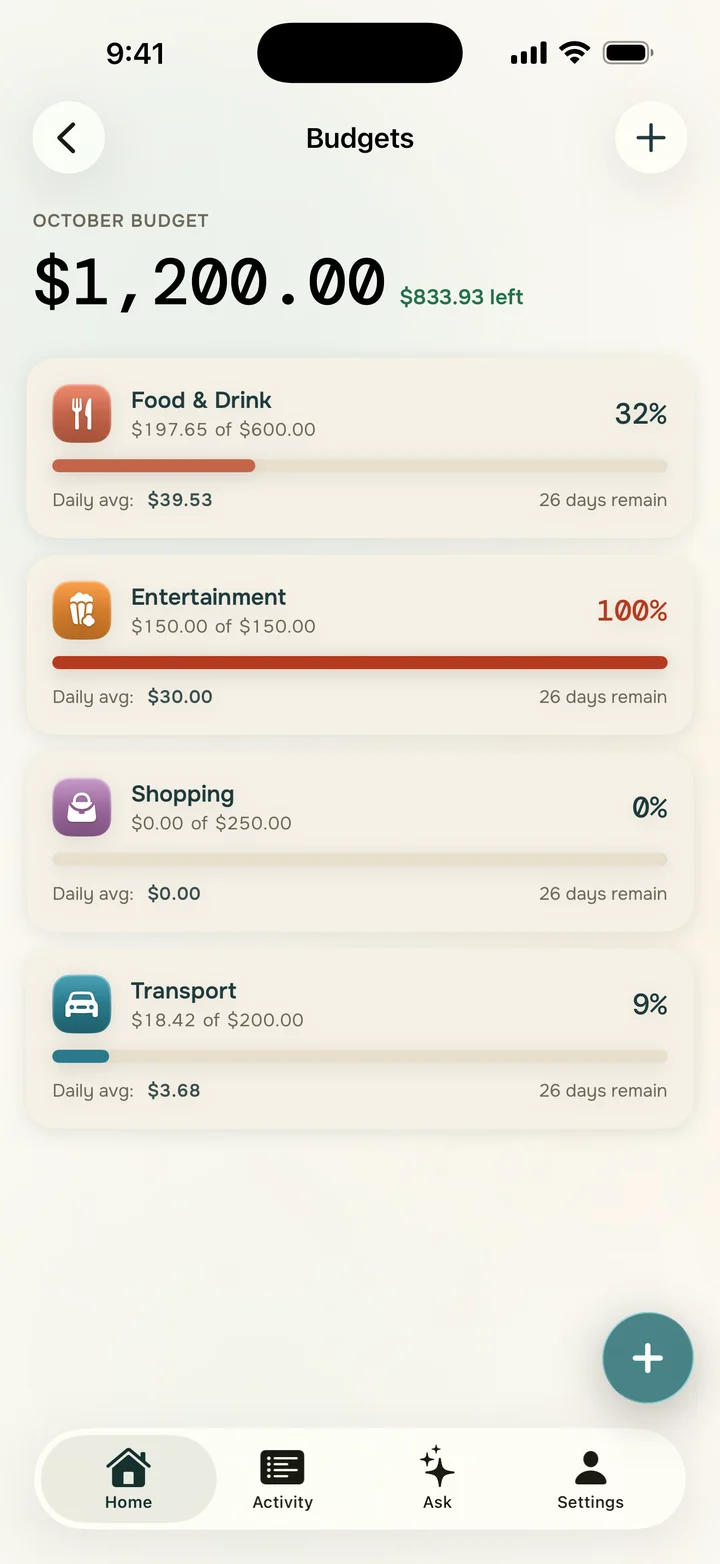
Nilo builds your budgets from what you already spend. You see what's left while there's still time to choose.
September budgets
- Food$188 left$612 of $800
- Transport$20 left$170 of $190
- Fun$25 over$265 of $240
- Home$320 left$1,480 of $1,800
Transport is at 89%. Nilo tells you now, while there's time.
$170 of $190
Fun
$265 of $240
$25 over
Split the bill. Skip the math.
Dinner, the cab, the trip. Nilo splits it fairly and keeps track of who owes what.
Dinner at Luigi's
Each pays $31.00
4 people, $31.00 each
Ask it like you'd ask a friend.
Nilo answers with your own numbers. No spreadsheets, no filters.
Try a question
Privacy
Your bank password stays yours.
Most finance apps want your bank login. Nilo doesn't ask for it. It works from the alerts you already get.
No bank linking
Nilo never asks for your bank username or password. It doesn't connect to your account because it doesn't need to.
Only what it needs
It looks for your bank's transaction alerts and your Apple Pay purchases. That's enough to sort out your month.
You decide
You choose what to connect, and you can disconnect it whenever you like.
Questions
Something else? Write to support@getnilo.app
Do I have to link my bank account?
No. Nilo never asks for your bank username or password. It uses the alerts your bank already emails you and the purchases you make with Apple Pay.
Which banks work?
Any bank that emails you when you make a purchase. Turn on purchase alerts in your bank's app, then add that sender in Nilo. It works with any email provider: Gmail, iCloud, Outlook, Yahoo and more.
Is my data sold?
No. Nilo doesn't sell your data or show ads. Your data is used only to run the app for you, and you can export or delete it at any time.
How does it read my bank's emails?
You forward your bank's alerts to your private Nilo address, so Nilo never signs in to your email. (Outlook can also connect in one tap.) Nilo picks out the amount, merchant, and date, and sorts each purchase by category.
What about Apple Pay?
It uses a Shortcuts automation on your iPhone. Set it up once, and every time you tap to pay, the purchase shows up in Nilo.
What about cash?
Log it in three taps, by voice, or with a photo of the receipt.
How much does it cost?
Nilo is free for 1 week. After that it's a monthly or yearly subscription, and you'll see the price for your country in the app before you pay anything. Cancel anytime in your Apple ID settings.
Is it on Android?
Coming soon. Nilo for Android is in testing now, in English, Spanish, and Portuguese.
- Typing it in
- 0
- Spreadsheets
- 0
- Bank passwords
- 0
Start today. Your month sorts itself out.
Download Nilo and let your spending log itself.
Free for 1 week / iPhone only / No bank login